ERP Computer Software : How Colleges and Universities Can Simplify Institutional Management?
Introduction
Educational institutions manage a wide range of activities every day. From student admissions and academic planning to examination management, fee collection, faculty administration and campus operations, every department depends on accurate information and timely coordination.
When these activities are handled through separate computer applications, spreadsheets and manual records, maintaining consistency can become challenging. Employees may need to enter the same information repeatedly, departments may work with different records, and management teams may struggle to access updated institutional information.
This is where ERP computer software becomes valuable.
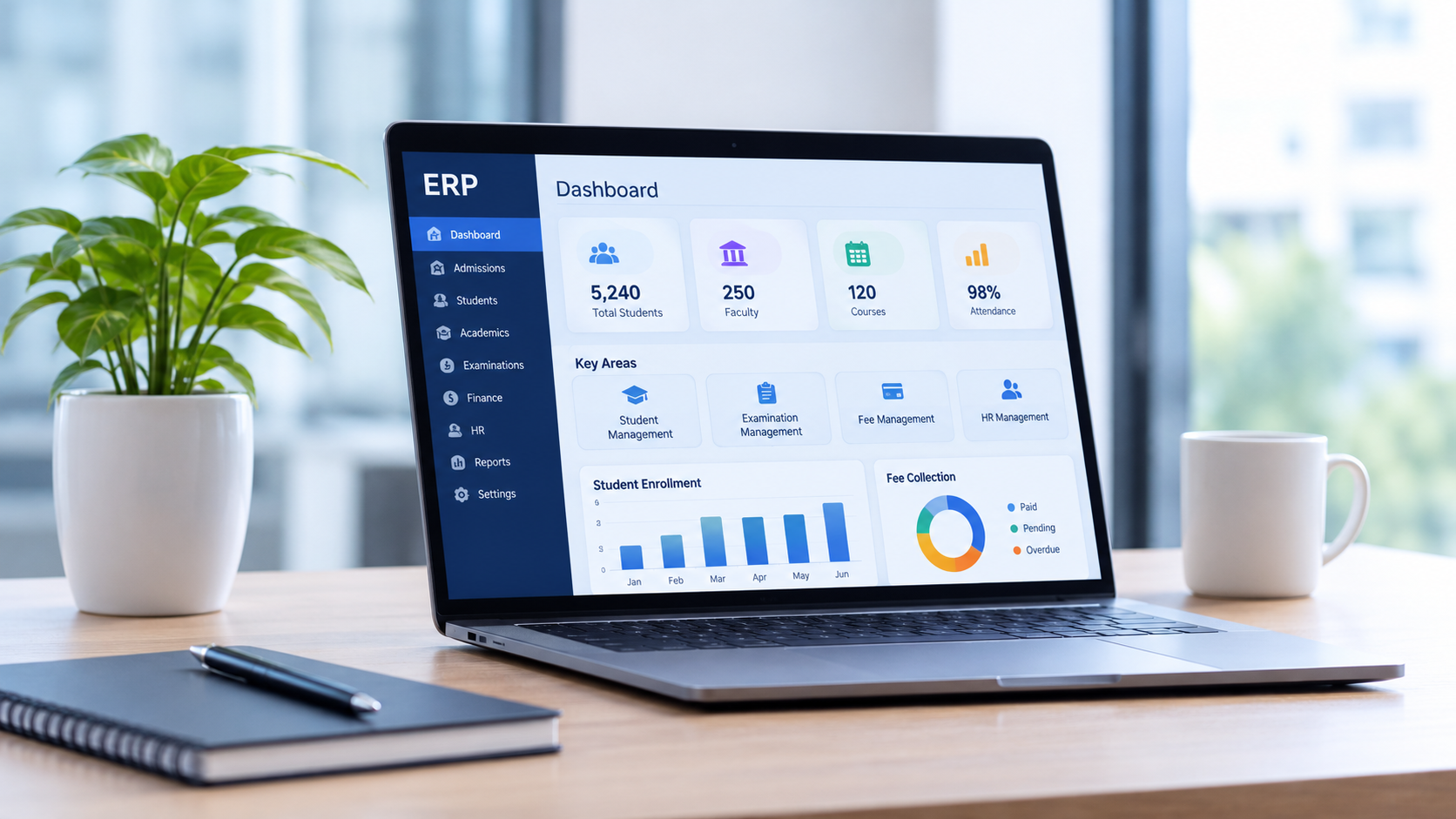
Enterprise Resource Planning (ERP) software connects different organisational functions through an integrated digital platform. For colleges and universities, education ERP software can help manage academic, administrative and operational activities while improving access to institutional information.
With an education-focused platform such as vmedulife, institutions can explore solutions for admissions, student management, examinations, learning, finance, HR and campus administration.
What Is ERP Computer Software?
ERP computer software is a digital system designed to manage and coordinate multiple organisational processes through a common software environment.
ERP stands for Enterprise Resource Planning. It allows different departments to work with relevant information and connected workflows instead of relying entirely on independent applications.
For example, when a student completes an admission process, the relevant information can support subsequent activities such as student record creation, academic administration, fee management and other institutional workflows, depending on the ERP configuration.
ERP computer software is used across several industries, including:
Education and higher education
Manufacturing and production
Healthcare
Retail and distribution
Finance and professional services
Logistics and supply chain management
In education, ERP software is commonly referred to as Education ERP or College Management ERP. It is designed to address the specific requirements of educational institutions.
Why Do Educational Institutions Need ERP Computer Software?
As institutions grow, their operational requirements become more complex. Managing thousands of student records, multiple academic programmes, examination schedules, employee information and financial transactions requires organised processes.
Here are some important reasons why colleges and universities consider ERP software.
1. Reduce Dependence on Manual Administration
Manual data entry and paper-based records can increase administrative workload. Staff may spend considerable time updating registers, preparing reports and searching for information.
ERP software helps digitise supported activities, making records easier to maintain and retrieve.
2. Improve Departmental Coordination
Admissions, academics, examinations, finance and HR departments often require related institutional information.
An integrated ERP environment can help authorised employees access relevant records and coordinate their responsibilities more effectively.
3. Maintain Accurate Student Records
Student information is required throughout the academic lifecycle. ERP software helps institutions organise personal details, enrolment information, attendance, academic history and other relevant records.
4. Support Better Management Decisions
Institutional management requires timely information about admissions, student performance, fee collection, examinations and departmental activities.
ERP reports and analytics can help management teams review relevant information and make more informed decisions.
5. Support Institutional Expansion
Growing institutions may introduce new programmes, increase student intake or establish additional campuses.
A suitable ERP platform can support changing operational requirements through available modules, configuration options and scalability.
12 Essential Features of ERP Computer Software
When selecting ERP computer software, institutions should evaluate the features that directly support their daily operations.
1. Admission Management
Admission management is one of the first stages of the student lifecycle.
An Admission CRM can help institutions capture enquiries, track applications, assign leads to counsellors, schedule follow-ups and monitor admission progress.
These capabilities help admission teams manage prospective students and maintain organised enquiry records.
2. Student Information System
A Student Information System (SIS) maintains important student-related information in a structured format.
Typical records include:
Student profiles and contact information
Admission and enrolment details
Course and programme information
Attendance records
Academic history
Student documents
This makes it easier for authorised employees to access relevant student information.
3. Academic Management
Academic management involves coordinating programmes, subjects, academic schedules and related activities.
ERP software can support academic planning and help institutions maintain information about courses, departments, faculty and academic activities.
4. Attendance Management
Attendance tracking is important for monitoring student participation and employee attendance.
Digital attendance management can help institutions record attendance, review attendance summaries and generate relevant reports.
5. Learning Management System
A Learning Management System (LMS) supports digital learning activities.
Depending on the platform, institutions may use LMS capabilities to provide learning resources, support online learning and organise academic content beyond classroom sessions.
6. Examination Management
Examination administration includes planning, scheduling, evaluation and result processing.
An Examination Management System can support:
Examination scheduling
Hall ticket generation
Seating arrangements
Question paper generation
Evaluator management
Marks processing
Grading and result-related activities
Rechecking workflows
These capabilities help examination departments organise complex processes.
7. Fee Management
Fee management software helps institutions maintain student fee structures, payment records and outstanding balances.
It can support fee collection monitoring, payment tracking, concessions and financial reporting, depending on the selected configuration.
8. Finance and Accounting
Financial administration involves managing institutional transactions, budgets, expenses and financial records.
ERP-based finance capabilities can help authorised teams organise relevant financial information and prepare reports for management review.
9. HR and Payroll Management
Human Resource Management System (HRMS) capabilities help institutions manage employee information and HR-related activities.
These may include employee records, attendance, leave management and payroll-related workflows.
10. Library Management
Libraries manage books, journals, memberships, circulation and other resources.
Library management software can support book records, issue and return activities, catalogue management and related services. Available capabilities may include OPAC, RFID or barcode-based workflows, depending on the configuration.
11. Inventory and Asset Management
Educational institutions maintain laboratory equipment, computers, furniture, stationery and other resources.
Inventory and asset management capabilities help departments maintain stock records, monitor purchases and manage institutional assets.
12. Reports and Analytics
Management teams need reliable information to review institutional performance.
ERP reporting can help generate reports related to admissions, attendance, examinations, fees, HR and other operational activities.
These reports support monitoring and decision-making when the underlying data is accurate and consistently maintained.
Types of ERP Computer Software
ERP systems are available in different deployment models. Understanding these options helps institutions evaluate which approach matches their technical requirements.
| ERP Type | Description | Suitable For |
|---|---|---|
| Cloud ERP | Accessed through the internet and hosted on cloud infrastructure. | Institutions seeking web-based access. |
| On-Premise ERP | Installed and operated within an organisation’s own infrastructure. | Institutions requiring greater control over their hosting environment. |
| Hybrid ERP | Combines selected cloud and on-premise components. | Organisations with mixed infrastructure requirements. |
| Industry-Specific ERP | Designed around the workflows of a particular industry. | Colleges, universities and specialised organisations. |
The right deployment model depends on infrastructure, security requirements, budget, internal IT capabilities and the provider’s available options.
ERP Computer Software vs Traditional Management Systems
Many institutions still depend on spreadsheets, paper registers and independent applications for different departments.
The following comparison explains how ERP software differs from disconnected management methods.
| Traditional Management | ERP Computer Software |
|---|---|
| Records may be maintained in separate files. | Relevant information can be managed through connected modules. |
| Repeated data entry may be required. | Supported workflows can reduce duplicate entry. |
| Reports may require manual preparation. | Reports can be generated from available system data. |
| Departmental coordination may depend on emails and calls. | Connected workflows can improve information sharing. |
| Record retrieval may take additional time. | Digital records can be searched and accessed by authorised users. |
| Expansion may require multiple separate applications. | Additional modules and configurations may support changing needs. |
The actual improvement depends on software capabilities, implementation quality and how consistently employees use the system.
How vmedulife Supports Institutional Management Through ERP Software?
Choosing ERP computer software for education requires a platform that understands the operational needs of colleges and universities.
vmedulife provides education ERP and campus technology solutions designed to support academic, administrative and institutional management requirements. With 800+ partner institutions, vmedulife offers a range of modules that address different areas of education management.
Its solution areas include:
University Management System (UMS)
The University Management System supports institutional activities such as admissions, student information, examinations, finance, HRMS and reporting.
It helps institutions manage important academic and administrative functions through an education-focused ERP environment.
Admission CRM
Admission CRM supports enquiry management, lead tracking, application stages, lead assignment, follow-ups and admission-related reporting.
It helps admission teams monitor prospective student enquiries and organise their counselling activities.
Examination Management System (EMS)
The Examination Management System supports examination workflows such as question paper generation, evaluator management, hall tickets, seating arrangements, moderation, grading and result-related activities.
Selected configurations may also support scanning, on-screen evaluation and rechecking processes.
Outcome-Based Education (OBE)
The OBE solution supports academic planning, feedback, online examinations, result analysis, rubrics, assignments, IQAC reports and CO-PO/PSO mapping.
These capabilities help institutions manage learning outcome-related academic information and support quality assurance activities.
Learning Management System (LMS)
The LMS supports digital learning activities and helps institutions organise learning resources and online academic processes.
Office ERP
Office ERP supports administrative operations such as inward and outward records, procurement, inventory, asset management, library operations and other institutional workflows.
Institutions can evaluate the relevant modules based on their operational needs and required configuration.
How to Choose the Right ERP Computer Software?
Selecting an ERP system is a long-term decision. Before finalising a provider, institutions should evaluate the following factors.
Understand institutional requirements: Identify the departments, processes and challenges that the ERP system should address.
Check module coverage: Confirm whether the provider offers the required modules for admissions, student management, academics, examinations, finance, HR and administration.
Evaluate ease of use: Employees should be able to understand the software and use it in their daily work with appropriate training.
Review data security: Ask about access controls, authentication, backup procedures, data protection and hosting arrangements.
Check integration capabilities: Confirm whether the ERP supports the external applications and services your institution currently uses.
Understand implementation support: Discuss data migration, configuration, training, deployment and post-implementation assistance.
Compare total cost: Evaluate licensing, implementation, training, support and additional module costs before making a decision.
Request a live demonstration: Ask the provider to demonstrate real workflows relevant to your institution instead of relying only on presentations.
Conclusion : Build a More Connected Institution with the Right ERP Software
ERP computer software plays an important role in helping organisations manage complex processes. For colleges and universities, an education-focused ERP system can support admissions, student records, academics, examinations, fees, HR, learning and campus administration.
However, selecting the right platform requires a clear understanding of institutional requirements, available features, implementation support, security and future scalability.
With its education-focused solutions, vmedulife helps institutions explore a more organised approach to managing academic and administrative operations.
Whether you are planning to digitise admission activities, improve examination administration or manage multiple campus functions, choosing suitable ERP software can be an important step towards institutional growth.
Looking for ERP computer software for your college or university?
Explore vmedulife’s education ERP solutions and discuss your institution’s requirements with our team.
Explore Education ERP Solutions – Visit vmedulife
Frequently Asked Questions (FAQs)
1. What is ERP computer software?
ERP computer software is a system that helps organisations manage multiple processes through an integrated digital platform. It can connect activities such as finance, HR, inventory, administration and reporting.
2. What is ERP software used for in colleges?
In colleges, ERP software is used to manage admissions, student information, attendance, academics, examinations, fee collection, HR, library operations and campus administration.
3. What are the main features of ERP computer software?
Common features include admission management, student information, academic management, attendance, LMS, examination management, fee management, HRMS, inventory management and reporting.
4. What is the difference between ERP and accounting software?
Accounting software primarily manages financial transactions and accounting records. ERP software covers a broader range of organisational activities and may include finance as one of its modules.
5. Is cloud ERP better than on-premise ERP?
Neither deployment model is automatically better for every institution. Cloud ERP offers internet-based access and provider-managed infrastructure, while on-premise ERP gives institutions greater control over their hosting environment. The right choice depends on technical and operational requirements.
6. Can ERP software manage multiple departments?
Yes. ERP platforms are designed to support multiple departments through different modules and connected workflows. The exact capabilities depend on the software and its configuration.
7. How much does ERP computer software cost?
ERP pricing varies according to the number of users, selected modules, institution size, deployment model, implementation requirements, integrations and support services. Institutions should request a customised quotation.
8. Why should educational institutions choose vmedulife?
vmedulife offers education-focused solutions covering university management, admissions, examinations, OBE, LMS and office administration. Institutions can explore the available modules and discuss their requirements with the vmedulife team.